
Field Notes · 29 October 2026 · 5 min read
The end of the small SaaS.
I got annoyed paying for dictation and meeting notes, built a local Mac app in an afternoon, then broke it on real client calls. Now it is open source. If a SaaS product is one job and a model, this is where it is heading.
By Elliot Sturzaker
I was paying for two things to do jobs my Mac could basically already do.
Willow, US$15 a month, so I could talk instead of type.
Fireflies, charged per seat, to sit in client calls and write the notes afterwards.
Both work. Both also felt slightly ridiculous for what I wanted.
I didn't really want another bot joining client meetings. A few clients had commented on it too, which is fair enough. Nobody loves a third participant called "Fred's Notetaker" that never says anything and never leaves. And for dictation, I was sending my voice to a server in another country when there is a stupidly capable chip sitting about forty centimetres from my face.
So one afternoon I got annoyed and built Speakhold.
A tiny native Swift app that does both.
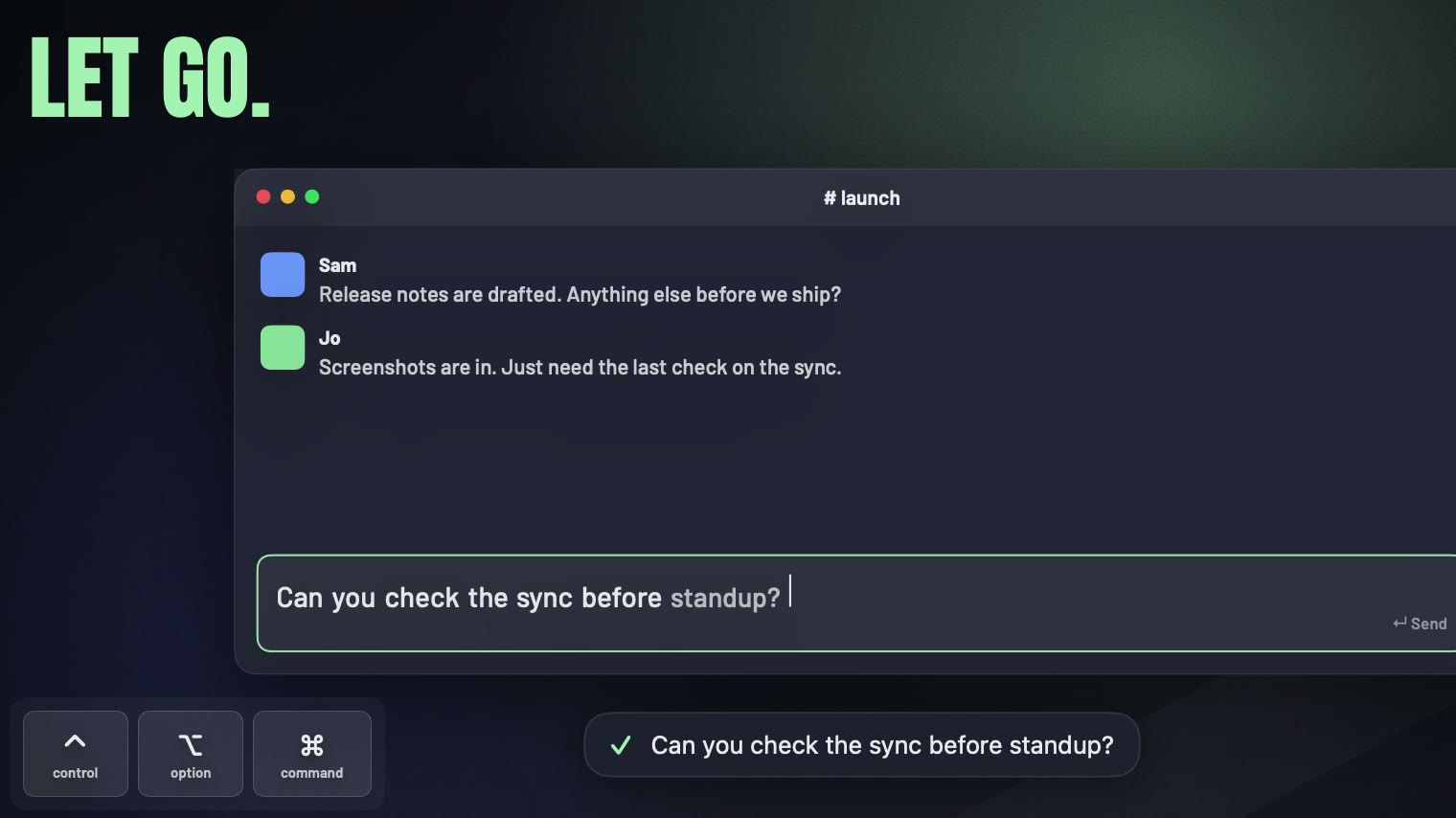
Hold a key, talk, let go, and it types.
Press record, have your meeting, and it writes the notes.
No meeting bot. No subscription. No audio leaving the Mac.
By the end of the afternoon it was built, launched and open source.
Then I started using it on real client calls and immediately found out all the stupid things I had got wrong.
What it does
For dictation, you hold left Control + left Option and talk.
Let go and the sentence lands wherever your cursor already is. Slack, Mail, Xcode, the browser, a form on a government website at 11 pm, whatever.
The speech model runs on the Mac. It cleans up the filler words and uses a local dictionary for the names and words I use all the time, so "Smriti" stops coming out as "smitten".
Meeting mode is just as simple.
Press record and Speakhold captures my microphone and the audio coming from the Mac separately.
That means my side and everyone else's side are already split without trying to guess who spoke. If you want the other side split into Speaker 1, 2 and 3 as well, there is a toggle that runs a speaker model on the Mac.
When the call finishes, it turns the recording into a markdown file with a summary, decisions, action items, open questions and the full transcript.
Then it deletes the audio.
Worth stealing
Left and right modifier keys are different keys.
Most dictation apps need a shortcut, and eventually that shortcut gets annoying or collides with something else. Speakhold listens low enough down that left Control and right Control are actually different inputs. Same with Option. So the default can be left Control + left Option without stealing a normal shortcut I use elsewhere. Tiny product decision, but one of those things that makes the app disappear when you are not using it.
Claude Code can be a model call without another API key.
I wanted decent meeting notes without making people sign up for another API just to use the app. If Claude Code is installed, Speakhold runs it in print mode with tools disabled and pipes the transcript in under the user's existing login. A 30 minute call comes back as notes in about 20 seconds. If that is not available, it falls back to the user's own key or an on-device model.
The gotcha was that calling the CLI slightly wrong could ignore the keychain login completely. Also, if the app itself is launched from a Claude Code session, some environment variables need stripping before spawning another one, or you get a Claude inside a Claude and nobody is happy. Weird little problems you only find by actually wiring this stuff together.
Read other people's launch threads before your own.
Before posting it anywhere I pulled every comment from the eight most similar launches on Hacker News, 337 comments, and counted what people asked. The top question by a mile was "how is this different from the other twelve". The second was "why are you still using Whisper, it is from 2022". Both were fair. So I fixed the second one before anyone could ask it. More on that below.
What broke
The first real client call mostly worked.
Afterwards, Speakhold sat on "Transcribing" with nothing moving.
It was not frozen. It was doing exactly what I had told it to do.
It just looked frozen, which is basically the same thing to the person using it.
So transcription moved into a proper background job with visible progress.
The second call broke it properly.
I pressed stop. Speakhold handed the work to the background process, which immediately asked macOS for notification permission and waited for me to answer.
Problem was, I had not released the recording hardware yet.
So the meeting was finished, I had pressed stop, and the microphone just kept going while the app politely waited for me to click a permission popup. If you have ever hung up and then said something about the person you were just talking to, you can see the problem.
That one was pretty humbling.
The fix was obvious afterwards: release the hardware first. Nothing after a user presses stop should depend on them doing something else.
Whisper had another surprise too.
Leave it listening to silence for long enough and it starts making things up.
Mine became extremely polite.
"Thank you. Thank you."
Over and over again. Eight minutes of an empty room came back as a page of gratitude.
I added filtering for low-confidence repeated output, which helped. Then I did the thing the Hacker News threads kept telling everyone to do and tried Parakeet, NVIDIA's open speech model, on the same clips. Same words, seven times faster, and over the empty room it returned nothing at all. Which is the correct answer. It is the default now, with Whisper kept for the ninety-odd languages Parakeet does not speak.
The main lesson from all of it was pretty simple.
Real people break software much better than you do. Other people's comment sections are the next best thing.
What it is not
It is Apple Silicon only and currently macOS 14 or newer.
English first for now.
It is a personal tool, not another team workspace with dashboards and search and a Q4 pricing review.
It does not announce that a meeting is being recorded. The consent rules wherever you are still apply.
The meeting notes are only as good as the model producing them.
Where it is
Download it from speakhold.wildinteractive.app, a 12 MB disk image, or with Homebrew: brew install --cask sturzael/tap/speakhold. It is not notarised yet because I have not given Apple US$99, so the install page covers the first-launch dialog. The source is on GitHub.
MIT licensed. Tiny download. Free.
I think this is the kind of AI work I am most interested in at the moment.
Not adding a chatbot to something because it needs an AI feature.
Just finding one annoying job, putting the model where the data already is, and doing the boring integration work properly.
In this case I got annoyed, built and launched something slightly ridiculous in an afternoon, broke it almost immediately on real client calls, fixed the dumb bits and gave it away.
Pretty productive afternoon, in hindsight. The two subscriptions are cancelled. The chip forty centimetres from my face is finally earning its keep.

Free 30-minute call
The AI Readiness Assessment if you want a plan. The AI Build Day if you want working hands. Thirty minutes on a call tells us both which.